Changing user passwords 사용자 비밀번호 변경
Typically, changing your password involves entering your current password and then the new password twice.
일반적으로, 비밀번호를 바꾸는 것은 현재 비밀번호와 새로운 비밀번호 2회 입력을 포함합니다.
These pages fundamentally(근본적으로) rely(의존한다) on the same process for checking that usernames and current passwords match as a normal login page does.
이 프로그램들은 같은 체크 프로그램을 기반으로 합니다. 그 프로그램은 사용자 이름(username)과 현재 비밀번호가 일치하는지 확인하는 프로그램입니다. 일반적인 로그인 페이지가 그러하듯이요.
Therefore, these pages can be vulnerable to the same techniques.
따라서, 이 페이지들은 같은 기법에 취약 할 수 있습니다.
Password change functionality can be particularly dangerous if it allows an attacker to access it directly without being logged in as the victim user.
비밀번호 변경 기능은 / 특히 위험할 수 있습니다 / 만약 허용한다면요 / 공격자가 거기에 직접 접속하는 것을 / 피해 사용자로 로그인되어 있지 않은 상태에서도 말이죠.
For example,
예를들어,
if the username is provided in a hidden field, an attacker might be able to edit this value in the request to target arbitrary users.
만약 사용자 이름이 숨겨진 필드를 통해 전달된다면, 공격자는 임의의 사용자를 대상으로 공격하기 위해 이 요청의 내부값을 아마 수정 할 수 있을 겁니다.
This can potentially be exploited to enumerate usernames and brute-force passwords.
이것은 잠재적으로 악용될 수 있습니다. 사용자 이름을 열거하고 비밀번호를 브루트 포스(무차별 대입)하는데에요.
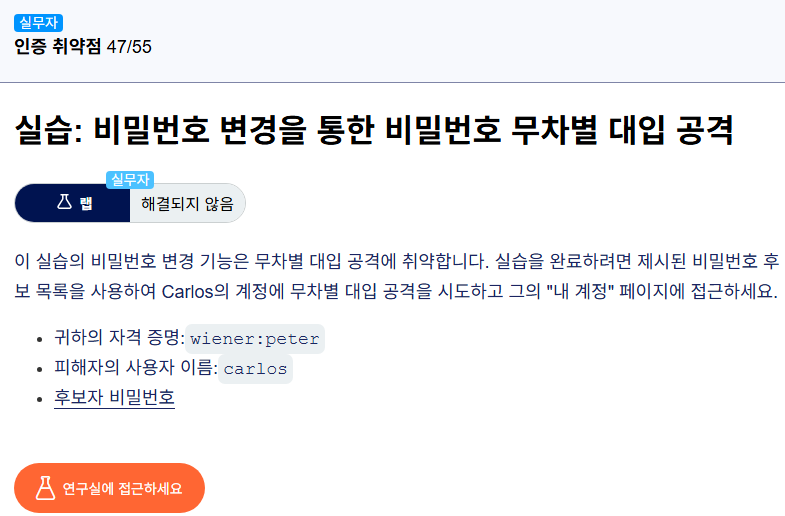
Lab: Password brute-force via password change
실습: 비밀번호 변경을 통한 비밀번호 무차별 대입 공격
This lab's password change functionality makes it vulnerable to brute-force attacks.
이 실습의 비밀번호 변경 기능은 취약하게 만들어졌습니다. 브루트 포스 공격에 대해서 말이죠.
To solve the lab, use the list of candidate passwords to brute-force Carlos's account and access his "My account" page.
이 실습을 해결하려면, 후보 비밀번호 목록을 사용해서 카를로스 계정에 브루트 포스(무차별 대입)하고 그의 "내 계정" 페이지에 접속하세요.
make [명사] [형용사]: A를 B한 상태로 업데이트(Update)한다.
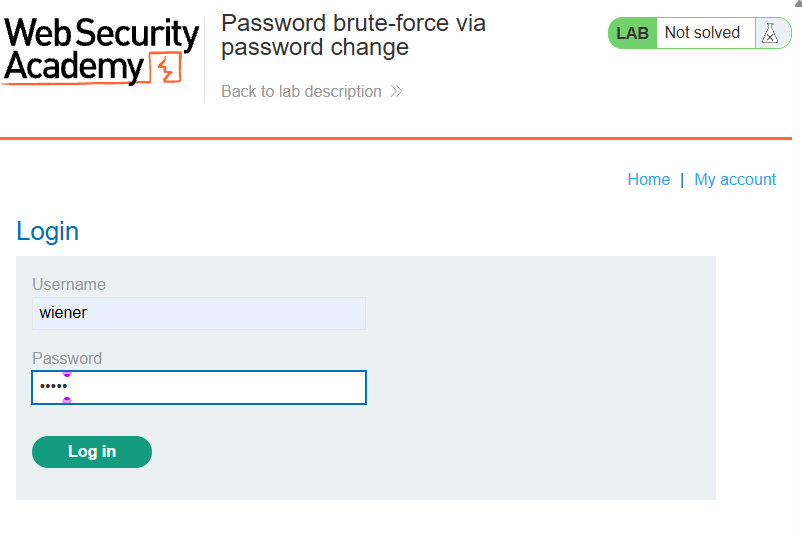
With Burp running, log in and experiment with the password change functionality. Observe that the username is submitted as hidden input in the request.
버프 스위트를 실행합니다. 로그인하고 비밀번호 변경 기능을 실험합니다. 사용자 이름을 관찰하세요. 요청에 숨겨진 입력값으로 제출되었습니다.
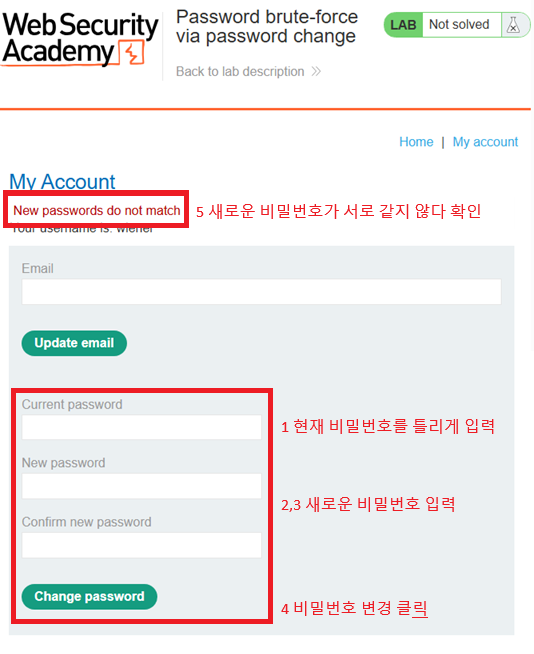
Notice the behavior when you enter the wrong current password.
어떻게 반응하는지 보세요. 틀린 현재 비밀번호를 입력했을 때
If the two entries for the new password match, the account is locked.
새로운 비밀번호를 두 개가 일치하면, 계정은 잠깁니다.
However, if you enter two different new passwords, an error message simply states Current password is incorrect.
하지만 두 번의 서로 다른 새로운 비밀번호를 입력한다면, 에러 메세지가 그냥 이렇게 나타납니다. 현재 비밀번호는 틀렸다고요.
If you enter a valid current password, but two different new passwords, the message says New passwords do not match.
유효한 현재 비밀번호를 입력해도 두 번 다른 비밀번호를 입력했기 때문에 메시지는 새로운 패스워드가 서로 같지 않다고 말합니다.
We can use this message to enumerate correct passwords.
우린 이 메시지를 맞는 비밀번호를 하나씩 찾기 위해 사용합니다.Enter your current password and two new passwords that do not match.
현재 비밀번호를 입력하세요. 그리고 새 두개의 비밀번호를요. 서로 일치하지 않는 것으로요.
Send this POST /my-account/change-password request to Burp Intruder.
POST / my-account/change-password 요청을 Burp Intruder로 보내세요.


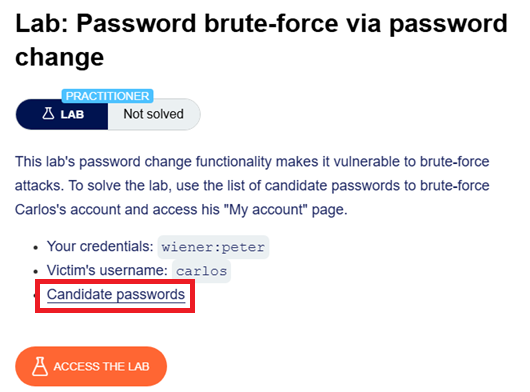
In Burp Intruder, change the username parameter to carlos and add a payload position to the current-password parameter.
Intruder에서 username 매개변수를 변경합니다 카를로스carlos로요 그리고 페이로드 위치에 추가합니다. 현재 비밀번호 매개변수 자리에 말이에요.
Make sure that the new password parameters are set to two different values.
꼭 확인하세요. 새로운 비밀번호 매개변수가 설정되어 있는지. 두 개의 서로 다른 값으로 말이죠.
For example:
예를 들면 이렇습니다.
username=carlos¤t-password=§incorrect-password§&new-password-1=123&new-password-2=abc

In the Payloads side panel, enter the list of passwords as the payload set.
그 페이로드의 사이드 패널에서 비밀번호 리스트를 입력하세요. 페이로드 세트로 말이죠.


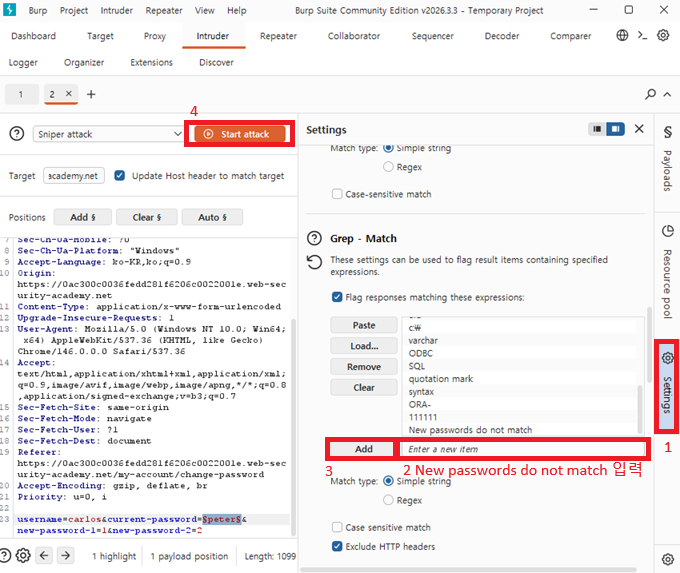
Click Settings to open the Settings side panel, then add a grep match rule to flag responses containing New passwords do not match . Start the attack.
셋팅을 클릭하여 셋팅사이드 패널을 여세요. 그리고나서 grep match에 규칙을 추가하세요. 정답인 응답을 얻기위해서요.
New passwords do not match 라고 적으면 됩니다. 공격을 시작하세요.
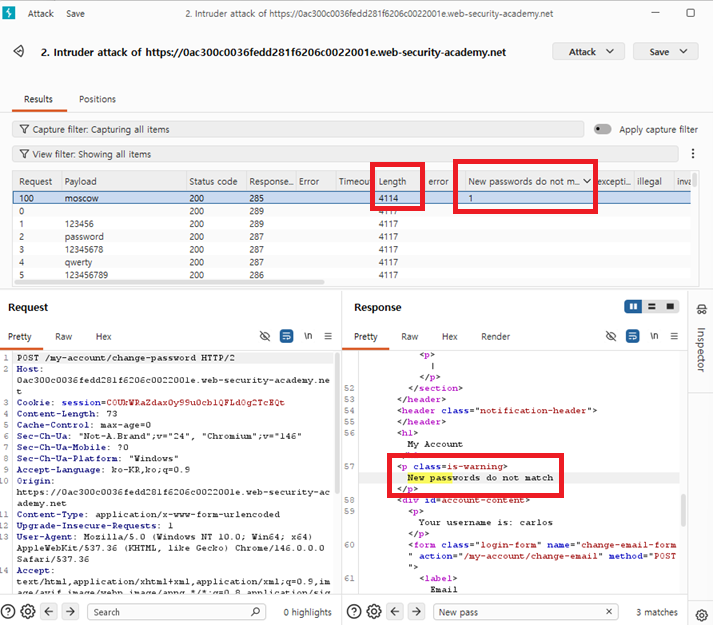
When the attack finished, notice that one response was found that contains the New passwords do not match message. Make a note of this password.
공격이 끝나면, 응답이 하나 발견될 겁니다. 그 응답은 새로운 패스워드가 서로 같지 않다는 메시지를 포함하고 있습니다. 이 패스워드를 적어두세요.
In the browser, log out of your own account and log back in with the username carlos and the password that you just identified.
버프 스위트의 브라우저에서 당신의 계정을 로그아웃 하세요. 그리고 사용자 이름 카를로스와 비밀번호를 입력하세요. 방금 확인한걸로요.

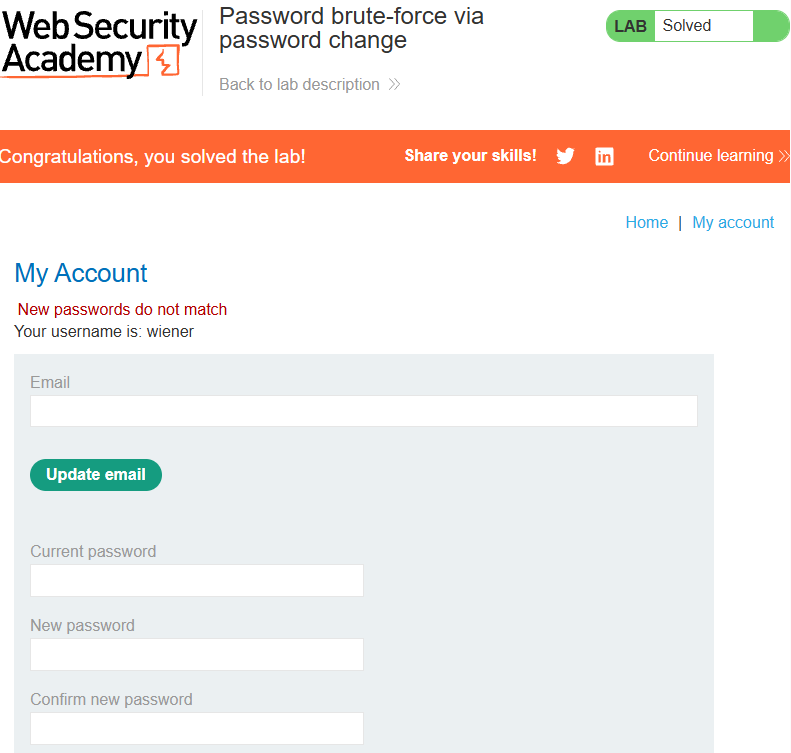
Click My account to solve the lab.
My account를 클릭하고 실습을 종료하세요.
'웹 해킹 > portswigger' 카테고리의 다른 글
| 버프스위트를 이용한 웹 해킹, 인증 취약점: 다른 인증 메커니즘의 취약점:미들웨어를 이용한 비밀번호 재설정 스푸핑 (0) | 2026.05.02 |
|---|---|
| 버프스위트를 이용한 웹 해킹, 인증 취약점: 다른 인증 메커니즘의 취약점:비밀번호 재설정 (0) | 2026.04.29 |
| 버프스위트를 이용한 웹 해킹, 인증 취약점: 다른 인증 메커니즘의 취약점: 오프라인 암호 크래킹 (0) | 2026.04.27 |
| 버프스위트를 이용한 웹 해킹, 인증 취약점: 다른 인증 메커니즘의 취약점:로그인 유지 쿠키에 대한 무차별 대입 공격 (1) | 2026.04.23 |
| 버프스위트를 이용한 웹 해킹, 인증 취약점: 2단계 인증(2FA, Two-Factor Authentication)의 취약점 (1) | 2026.04.23 |